.png?width=100&height=75&name=Untitled%20design(1).png)
Creating a Meeting Agenda
-
Sign in to your PushFar account.
-
From your homepage, locate your active mentoring relationship.
- Click View Details.
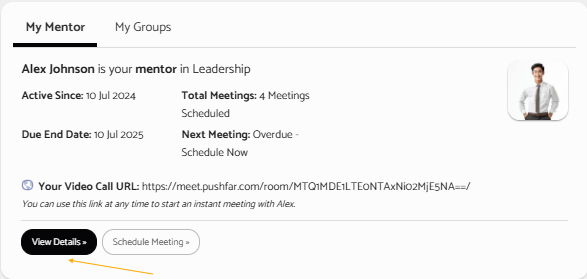
- Within the mentoring management panel, find the Schedule A Meeting section.
-
Complete your meeting details, including date, time and meeting type.
- Enter your discussion points in the Meeting Notes/Agenda field.
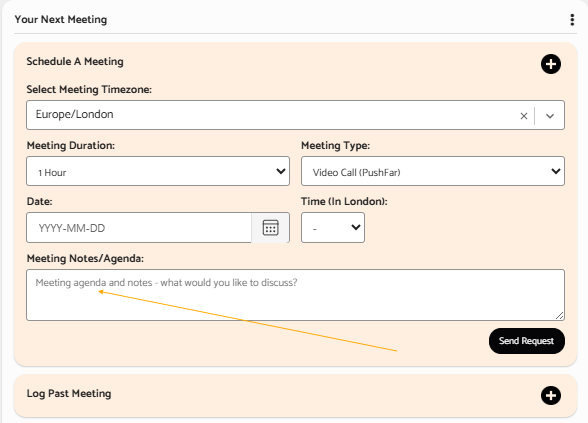
- Click Send Request to schedule the meeting and share the agenda with your mentoring partner.
Tips for Creating an Effective Agenda
Consider including:
- Topics you would like to discuss
- Questions you would like to ask
- Updates on actions from previous meetings
- Goals or objectives for the discussion
- Any challenges or opportunities you would like support with
Having an agenda prepared in advance can help both participants make the most of their mentoring session.
Need Further Help?
If you experience any difficulties scheduling a meeting or adding an agenda, please contact the PushFar Support Team at support@pushfar.com.